The Advantages of Sip Trunking

SIP Trunking allows you to take the office across the Internet to remote offices which can use a host of communications applications on the back of VoIP.

Numerous businesses today have already implemented some form of SIP while the advantages of diverse communication methods offers businesses an arsenal of additional features.

  • Office Staff Stay Connected
  • Traveling Personnel Remain Assessable
  • Advanced Samsung OfficeServ Features
Request A Quote

Session Initiation Protocol

What is SIP?

The acronym is short for Session Initiation Protocol. It is an application, not VoIP and it's not what you do when you have a cup of coffee. SIP bundled with Samsung systems bring advanced features critical to a diverse, mobile office staff.

Separated into a hardware group (SIP stations), and another which is a software configuration (SIP trunking) which together bridge features like Video conferencing, Mobex (Mobile Extension) and Messenger to be inclusive to the hundreds of other advanced features in the OfficeServ 7000 series systems. Thus allowing businesses to better utilize their networks and to leverage powerful mobility across remote locations.

Economical combination of services! Add any combination of SIP, VoIP, PRI or copper lines, all work together in the Samsung Business Systems.

SIP Connected, VoIP Enabled!

People move and within your business they have different functions while using diverse methods to communicate. Rottweiler Systems assembles the pieces together for a platform that converges the current communications requirements and yet allows flexibility to change. Together with your requirement we build you the necessary flexibility factors to take advantage of new technology that is sure to evolve tomorrow.

SIP Trunks are marketed similar to regular copper lines. Pricing varies depending on your business needs, a SIP provider (referred to as an ITSP - Internet Telephone Service Provider), and software licensing requirements.

Already answering the questions and implementing economic scenarios that produce practical solutions for businesses just like yours everyday is what has kept Rottweiler Systems as a leader in Atlanta's communications industry.

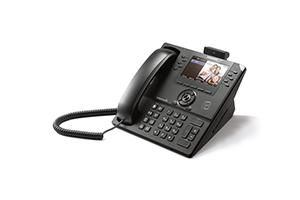
Samsung SMT-i series telephones take full advantage of SIP trunking, VoIP and the advanced features enable using SIP applications.

Rottweiler - SIP Connected, VoIP Enabled!

Ready To Meet And Take The Next SIP?
Samsung - Loaded with Features

Rich with high-tech features such as short messaging, video calling, and phone book capabilities, Samsung’s VoIP phones provide the tools you need to stay connected in or out of the office.

7100/7200/7400 systems can be either programmed to be UAC (User Agent Client) or UAS (Agent Client Server) supporting SIP to SIP peering.

Our Services

OfficeServ Standard System Features

1. What is a Phone Book?

> > > A Phonebook is a collection of frequently dialed names and numbers referred as a "Phonebook". You can search and initiate calls by Speed Dial, Associated Names, Telephone Numbers, Assigned Groups or Previous Calls registered in your phone from within OfficeServ Messenger ™.

Back to Top

2. OfficeServ Communicator, Instant Messaging, collaboration and presence awareness

> > > OfficeServ Communicator ™ is an application designed to connect OfficeServ 7000 series telephone systems to standard and IP business phones, softphone's and your computer desktop. OfficeServ Communicator ™ implements OfficeServ Messenger ™ to allow users the ability to chat, whiteboard, desktop sharing and file transfer.

Back to Top

3. Video Conferencing

> > > OfficeServ SMT-i telephones can initiate and maintain a 5 party video conference using the OfficeServ Communicator ™ and OfficeServ Messenger ™. This feature can also be used with the Samsung OfficeServ softphone.

Back to Top

4. SIP to SIP Peering

> > > Often called SIP peering, telephone stations can have several methods of call communication. SIP Peering can be configured to support multiple OfficeServ systems that are networked together.

Back to Top

5. MOBEX - Mobile Extension

> > > MOBEX, short for Mobile Extension, allows you to assign a 3 or 4 digit extension number to a remote device such as a cell phone to a user. Users of the MOBEX feature process business calls on their cell phone as if they were in the office either by calling into the phone system and masking their cell phone as though it came from the office or by receiving calls directed to them from the phone system. Mobex users can transfer the call back, place the call on remote hold on another station and send the caller to voice mail. You can even page or intercom other users from your cell phone!

Back to Top